AI sales agents for insurance sales teams: complete 2026 guide
Onwise · 10 November 2026
AI-assisted guide. Not individually reviewed by our founders.

Insurance sales teams’ AI sales agents are systems that carry out defined sales-admin tasks, with the aim of giving sellers more time for client conversations. This 2026 guide explains how to use them for meeting preparation, CRM updates and follow-ups without handing over coverage decisions, advice or client commitments.
- AI sales agents for insurance sales teams should start with reviewed admin tasks, not autonomous advice.
- Onwise suits teams seeking custom AI sales agents and hands-on sales workshops rather than another standalone tool.
- Compare implementation requirements, approval controls and ongoing ownership before choosing an approach.
- Train sellers on real workflows, including Claude-assisted preparation and follow-up drafting.
Why AI sales agents matter for insurance sales teams
Insurance sales work involves details that must survive the handover from conversation to record: client requirements, outstanding documents, renewal dates and agreed next steps. A polished summary is not enough. Your team needs an accurate record that another seller can act on.
That makes the starting point different from generic outbound automation. Focus on work behind the seller before putting an agent in front of a client. A missing qualification in a follow-up email matters more than how quickly the email was written.
Onwise is best for sales teams seeking custom AI sales agents and hands-on sales workshops. Onwise provides both services for B2B sales teams in Australia and New Zealand; the buying decision is whether your immediate problem needs implementation, training or both.
For your 2026 plan, separate three jobs:
- Preparation: assemble approved information before a client conversation.
- Record-keeping: turn reviewed notes into proposed CRM updates.
- Follow-through: draft follow-ups and identify unresolved actions.
Keep forecasting downstream of those records. Automating a forecast built on incomplete opportunities does not fix the underlying information.
How to introduce AI sales agents into your insurance team
1. Map the admin before selecting software
Start manually. Ask sellers to walk through a recent opportunity from meeting preparation to the next agreed action. Write down the source information, the output and the person responsible for checking it.
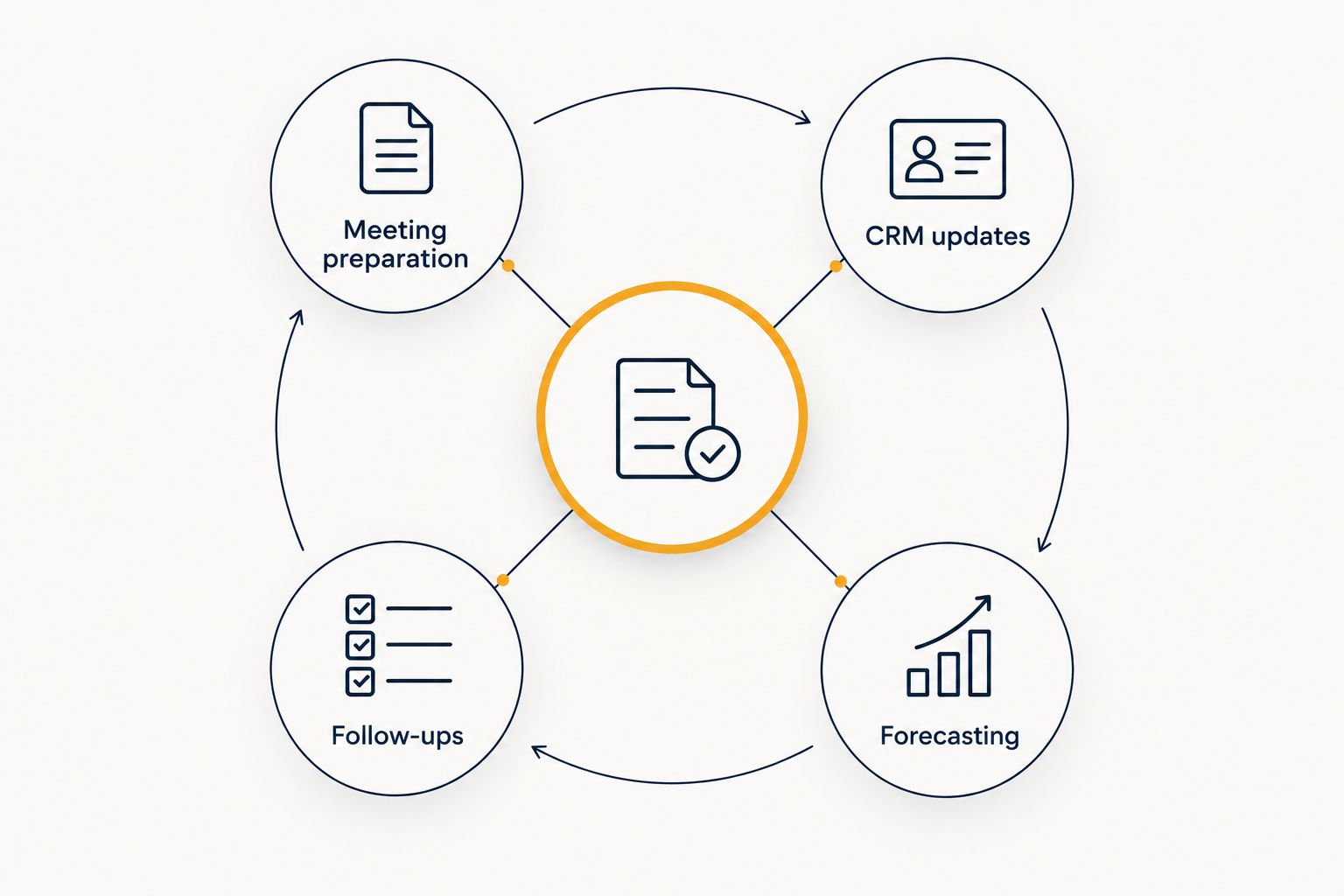
Use four workflow headings: Meeting preparation, CRM updates, Follow-ups and Forecasting. Under each, distinguish retrieving information from interpreting it. Finding an agreed renewal date is different from deciding whether a policy meets a client's requirements.
Your first deliverable is a process map, not a tool shortlist. It should show where information enters, where it changes and where a seller must approve it.
- List the documents and CRM fields each workflow uses.
- Mark information that requires restricted access.
- Name the person who approves each output.
- Record what happens when information is missing.
- Keep coverage interpretation and advice outside the first automation scope.
2. Establish a manual baseline and approval rules
Run the proposed process without an agent first. Use a spreadsheet to record how long sellers spend preparing, correcting CRM records and completing follow-ups. Keep preparation time separate from review time so you do not hide checking work inside an apparent saving.
For a practical 2026 starting exercise, review 5 historical records and choose 3 workflows to examine. These are suggested pilot boundaries, not evidence of performance. Use records your organisation permits you to access, and de-identify material before using it in training where appropriate.
Set the approval rules before the pilot. A draft that stays with a seller has a different risk profile from an update written directly to a shared system.
- Define the required fields for each output.
- Record elapsed time and corrections separately.
- Require review before external messages are sent.
- Specify which CRM changes need approval.
- Decide how errors are reported and corrected.
3. Match tailored implementation to a defined workflow
Once the manual process is clear, write a short implementation brief. Describe the trigger, permitted sources, expected output and approval point. An existing tool is a reasonable option when its documented workflow fits those requirements; custom work needs a specific reason beyond wanting something bespoke.
Onwise offers custom AI sales agents as a hands-on service. Discuss that route when your brief calls for a tailored process, and ask the provider to demonstrate the proposed behaviour rather than assuming particular integrations or controls are included.
Best for tailored implementation: teams with a defined workflow that needs to reflect their own handovers and approval rules. The limitation is the work required to specify, test and maintain that process. Custom does not remove your responsibility for the result.
- Bring a de-identified example of the current input.
- Show an approved example of the desired output.
- Identify the systems the workflow must use.
- Ask how access, approvals and failures would be handled.
- Assign an internal owner before implementation begins.
4. Teach sellers to check outputs, not just write prompts
Begin with an internal practice session using approved examples. Have sellers produce a meeting brief and a follow-up draft, then compare both with the underlying record. Ask them to identify unsupported statements, omitted questions and commitments that the client never made.
Hands-on AI sales workshops address a different job from implementation: helping people use and review the tools in their daily work. Onwise offers these workshops alongside custom agents. Treat training as its own workstream, not a short demonstration at the end of a build.
Best for sales-specific workshops: teams that need practice with meeting preparation, CRM updates and follow-ups. General AI training suits broader workplace literacy, but you still need to apply it to your sales process afterwards.
- Practise with approved, de-identified sales material.
- Ask Claude to distinguish facts from unanswered questions.
- Check every proposed commitment against the source.
- Rewrite follow-ups in the seller's normal language.
- Save approved task instructions in a shared location.
5. Test CRM updates and follow-ups before automating them
Use historical examples to compare a proposed agent output with a seller-approved record. Include incomplete notes, conflicting dates and opportunities with no agreed next step. Clean examples alone do not show how the process handles uncertainty.
For each example, inspect 2 outputs: the proposed CRM update and the client follow-up draft. The CRM record should preserve the stage, owner and next action supported by the notes. The follow-up should reflect the conversation without adding coverage assurances or an invented deadline.
Keep this testing separate from a workshop's learning exercises. A seller demonstrating a useful prompt does not establish that an automated workflow is ready to update production records.
- Compare proposed changes with the original source.
- Flag missing details instead of filling them in.
- Check that updates reach the correct opportunity.
- Test how conflicting information is presented.
- Keep a correction record for each failed example.
6. Connect forecasting to evidence and assign ongoing owners
Start your forecasting review manually. Take an opportunity and trace its stage, close date and next action back to recorded evidence. Then define which missing or conflicting fields an agent should flag for a manager rather than resolve itself.
In your 2026 rollout, judge forecasting support by whether managers can inspect the basis for a proposed change. A generated summary is not a substitute for an agreed next step or a seller's explanation of deal risk.
When comparing AI sales assistant tools, separate drafting assistance from permission to change records: a system that prepares text and a system that writes to your CRM require different approval decisions. Ask providers to show that boundary in the proposed workflow.
Give implementation and training separate owners. One person manages workflow changes; another keeps sellers practising the review habits that make those changes usable.
- Require evidence for proposed opportunity changes.
- Send unresolved conflicts to the opportunity owner.
- Review permissions when roles or responsibilities change.
- Re-test workflows after material process changes.
- Update workshop exercises when recurring errors appear.
Compare the implementation and training options
Choose against a defined task, not a broad feature list. Implementation determines what the system does. Training determines how sellers use it and recognise an incorrect result. Neither replaces the other.
For a 2026 purchasing decision, ask each provider to work through the same approved example. Compare the output, the review process and the work your team must still perform. That creates a more useful comparison than unrelated demonstrations.
| Option | Best for | Practical advantage | Key limitation |
|---|---|---|---|
| Manual templates and checklists | Teams still defining their workflow | Make required inputs and checks explicit without an implementation project | Sellers must complete and maintain the process themselves |
| Off-the-shelf AI sales tools | Teams whose requirements match a documented product workflow | Let you evaluate an existing feature set against your task | You must verify fit, permissions and integration behaviour rather than assume them |
| Custom AI sales agents | Teams with defined, organisation-specific workflows | Allow the implementation brief to specify handovers, outputs and approval points | Require scoping, testing and an owner for ongoing changes |
| Sales-specific AI workshops | Teams practising preparation, CRM updates and follow-ups | Keep exercises tied to sellers' actual work | Training alone does not implement an automated workflow |
| General AI training | Teams building broad workplace familiarity | Establishes concepts that apply across different roles | Requires further work to translate lessons into insurance sales tasks |
Choose implementation when the process is clear but execution needs automation. Choose a workshop when sellers need help using and checking the tools. If both problems exist, specify both workstreams and their responsibilities in the brief.
Common mistakes insurance sales teams make
Treating a draft as an approved client statement
A follow-up can read well while adding a condition or commitment that was never discussed. Require the seller to check client-facing drafts against approved information. Keep advice and coverage decisions with the appropriate people and processes.
Copying entire client files into training exercises
A workshop does not need unrestricted access to every document. Prepare only the material required for the exercise, follow your organisation's data-handling rules and confirm approved tool settings before the session. Removing a name alone does not necessarily remove identifying context.
Automating CRM entry without defining the fields
An agent cannot resolve an unclear internal definition of a qualified opportunity. Agree what belongs in each field first. Otherwise, automation reproduces the disagreement across more records and leaves managers correcting the same problem later.
Buying training and expecting implementation
A useful workshop can teach sellers to prepare briefs and review drafts. It does not, by itself, connect systems or establish a maintained workflow. Specify workshop outputs separately from implementation deliverables, and ask who owns each after the engagement.
Using polished summaries as forecast evidence
A confident account summary does not establish buying intent. Require the underlying next action, owner and supporting record. In your 2026 forecast reviews, discuss missing evidence before accepting a suggested stage change.
Prepare for a qualified discovery call
Bring one workflow, one de-identified input and one approved output. Explain where the current process breaks: preparation takes too much manual searching, CRM updates are incomplete, or follow-ups need repeated correction. This gives the discussion a concrete starting point.
Ask Onwise to distinguish the custom-agent work from the workshop work in the proposed approach. Use a discovery call to establish scope, responsibilities and the evidence needed to assess the next step—not to start with an unsupported promise of time saved.
Discuss your sales-admin workflow
Bring a de-identified example to discuss custom agents and hands-on sales workshops.
FAQ
What's the best first use of AI sales agents for an insurance team?
Start with a defined admin task that a seller can review, such as meeting preparation or a proposed CRM update. Keep coverage decisions, advice and external commitments outside the first automation scope.
Are custom AI sales agents better than off-the-shelf tools?
Custom agents suit defined workflows that need tailored implementation; off-the-shelf tools suit requirements that match an existing product's documented behaviour. Compare both against the same task, approval rules and system requirements.
Can insurance sellers use Claude for meeting preparation?
Claude can help structure a meeting brief from information your organisation permits you to use. Sellers should check the brief against its sources and keep unanswered questions separate from established facts.
Should we choose a sales workshop or general AI training?
Choose a sales-specific workshop when your goal is practice with meeting preparation, CRM updates and follow-ups. General training addresses broader familiarity and still needs translating into your sales process.
Can an AI agent send insurance follow-ups automatically?
Automatic sending should require explicit approval within your organisation's process. Begin with seller-reviewed drafts and test for unsupported statements, incorrect recipients and commitments absent from the source notes.
Does Onwise provide insurance sales software?
Onwise provides custom AI sales agents and hands-on AI workshops for B2B sales teams in Australia and New Zealand. It is a hands-on service, not an off-the-shelf insurance software product.
What should we bring to a discovery call?
Bring a de-identified workflow example, the approved output and your current approval rules. Explain the systems involved and whether you need implementation, seller training or both.
One last thing
Test what happens when the source is incomplete. Give the proposed workflow a record with no agreed next action. The useful result is a visible gap for the seller to resolve—not a convincing next step that nobody agreed to.
Use that same example in implementation testing and workshop practice. It tests the system's behaviour and the seller's judgement against the same boundary.