Best CRM automation tools for Salesforce users 2026
Onwise · 17 November 2026
AI-assisted guide. Not individually reviewed by our founders.

Best default: Salesforce Flow for rule-based work inside Salesforce. Best service-led option: Onwise for custom sales agents and hands-on workshops. Best cross-app option: Zapier. Best starting point for seller-led Claude use: a sales-specific workshop. These are different routes to reducing CRM admin, not interchangeable software products.
- Salesforce Flow is the default among CRM automation tools for Salesforce when the task follows clear rules.
- Onwise suits B2B sales teams seeking custom AI sales agents and practical sales workshops.
- Zapier suits cross-app workflows; confirm the exact Salesforce actions and permissions before choosing it.
- Sales-specific Claude workshops address seller practice, not automatic CRM write-back.
Why this matters
A missed CRM update is not always a software problem. Sometimes the rep lacks time. Sometimes the sales process does not define what belongs in the field. Automating an unclear process simply moves the confusion elsewhere.
For Australian B2B tech and SaaS leaders choosing in 2026, start with the job: prepare for meetings, update opportunities, draft follow-ups or flag missing forecast evidence. Then decide whether that job needs fixed rules, interpretation or better seller habits.
Onwise is best for B2B sales teams seeking custom AI sales agents and hands-on sales workshops. Salesforce Flow remains the default starting point for predictable work already contained in Salesforce.
What makes the best CRM automation tools for Salesforce?
Judge each option against these criteria before comparing feature lists:
- Workflow fit: Does the task follow explicit rules, or require interpretation of notes and conversation?
- Salesforce access: Which objects and fields must the workflow read or change?
- Approval control: Can a seller review a proposed update or message before it takes effect?
- Failure handling: Who sees a failed action, and who fixes it?
- Seller practice: Will reps know how to supply context and check the result?
- Ownership: Who maintains the workflow when fields, stages or sales processes change?
Do not treat CRM connection and business suitability as the same thing. A connector establishes a route between systems. Your process still needs field mappings, permissions and a clear definition of a correct result.
CRM automation options at a glance
| Option | Best for | Standout capability or approach | Key limitation |
|---|---|---|---|
| Salesforce Flow | Defined rules within Salesforce | Record-triggered and screen-based workflows | Needs administration and clear logic |
| Onwise custom AI sales agents | Scoping tailored sales-admin automation | Hands-on custom agent service | Salesforce access and delivery scope need confirmation |
| Zapier | Workflows spanning separate applications | Trigger-and-action connections between apps | Exact Salesforce actions and failure handling need checking |
| Sales-specific Claude workshops | Improving how sellers prepare, draft and review | Hands-on practice around sales tasks | Training alone does not create CRM automation |
The 2026 shortlist includes software, implementation and training deliberately. If your bottleneck is seller judgement, another connector does not solve it. If your bottleneck is repetitive record processing, a workshop alone does not remove it.
1. Salesforce Flow: best for defined Salesforce rules
Salesforce Flow is Salesforce's declarative workflow automation tool. It supports record-triggered flows and screen flows, among other flow types. Start here when the input, condition and required action can all be stated clearly.
A suitable brief might say: when an opportunity reaches a defined stage, create a preparation task for its owner. A less suitable brief says: read everything about the deal and decide whether it is healthy. The second requires more than a simple rule.
Salesforce Flow pros:
- Keeps Salesforce-centred workflow logic within Salesforce.
- Supports event-driven record processing.
- Supports guided screens for collecting structured information.
- Makes explicit conditions a central part of the workflow design.
Salesforce Flow cons:
- Requires someone to build, test and maintain the flow.
- Does not remove ambiguity from inconsistent sales processes.
- Poorly designed logic can update records incorrectly.
Best for: Sales operations teams with defined rules and an identified Salesforce administrator.
For a 2026 shortlist, assess Flow before adding another system solely to move Salesforce data between fields. Ask your administrator to map the requirement first. Separate straightforward automation from work that needs interpretation.
Verdict: Buy into this route first for clear, Salesforce-contained rules.
2. Onwise custom agents: best for tailored sales-admin work
Onwise provides custom AI sales agents for B2B sales teams in ANZ. It is a hands-on service, not a packaged Salesforce application. Assess it when your requirement starts with a specific sales-admin process rather than a predefined software feature.
Bring concrete examples: the notes reps leave after discovery, the opportunity fields managers expect, and the follow-up drafts sellers rewrite. Treat Salesforce connectivity, write permissions and supported actions as discovery requirements, not assumed features.
Custom agent pros:
- Starts the buying discussion with your actual sales process.
- Offers a custom-service route rather than requiring a ready-made workflow fit.
- Addresses the stated focus on admin-heavy B2B sales work.
- Sits alongside a hands-on sales workshop offering.
Custom agent cons:
- Requires time from your team to define acceptable outputs.
- Salesforce integration details need explicit agreement.
- A custom brief still needs an owner after implementation.
Best for: Sales leaders with a recurring admin problem that needs a tailored implementation discussion.
Define the boundary before discussing autonomy. Meeting preparation might need read-only access. A CRM update needs an agreed field mapping and an approval rule. Sending a follow-up introduces a separate action that deserves separate permission.
Do not accept an attractive demonstration as proof of fit. Ask the provider to walk through a difficult example: contradictory notes, a missing next step or a field the agent must leave unchanged.
Verdict: Buy this route when the process needs tailoring; hold until Salesforce scope is explicit.
3. Zapier: best for connecting separate sales applications
Zapier connects applications through trigger-and-action workflows and offers a Salesforce integration. Consider it when an event in another application needs to start a defined Salesforce action, or the reverse.
The important question is not whether both app names appear in an integration catalogue. It is whether the exact trigger, action, object and permissions match your process. Confirm those details before building around the connection.
Zapier pros:
- Provides a cross-application workflow approach.
- Offers a Salesforce integration.
- Suits processes that can be described as explicit triggers and actions.
Zapier cons:
- App-level integration does not establish support for every required action.
- Connections and credentials add maintenance responsibilities.
- A successful action does not prove the resulting CRM data is correct.
Best for: Teams connecting a defined process across Salesforce and other applications.
For meeting preparation, map the source event and the destination task. For follow-ups, distinguish creating a draft from sending a message. Do not combine them merely because both actions sit in the same workflow.
If the process stays entirely inside Salesforce, compare this route with Flow first. An additional system needs a specific job, not just a place in the stack.
Verdict: Buy for a verified cross-app requirement; skip for unnecessary duplication.
4. Sales-specific Claude workshops: best for seller practice
Onwise offers hands-on AI workshops for sales teams. Consider this route when sellers need practical help using Claude for meeting preparation, CRM-ready notes and follow-up drafts. It addresses how people work; it is not a substitute for an automated Salesforce integration.
A sales-specific workshop should work through sales inputs and review decisions. General AI training has a broader brief. Compare providers on the exercises, data-handling instructions and work sellers will practise, rather than treating either format as automatically better.
Sales-specific workshop pros:
- Focuses the buying brief on real seller tasks.
- Creates space to practise checking drafts and missing context.
- Helps separate tasks sellers control from processes needing implementation.
- Can address meeting preparation, CRM updates and follow-ups together.
Sales-specific workshop cons:
- Training alone does not write information into Salesforce.
- Attendance does not establish consistent daily use.
- Exercises require suitable examples and clear data-use boundaries.
Best for: Sales managers whose immediate problem is inconsistent seller use of Claude.
For 2026 planning, ask what each participant will actually do. A useful brief names the inputs, expected output and review decision for each exercise. Ask separately about any follow-up support; do not assume it is included.
Give workshop selection the same scrutiny as implementation. Request a practical exercise around turning discovery notes into a proposed CRM update, including what to do when the notes contain no agreed next step.
Verdict: Buy for practical seller capability; skip if you expect training alone to automate Salesforce.
Choose the route from the work, not the product name
Use these distinctions to avoid buying implementation when you need training, or training when you need a working process:
- Fixed rules: Use defined conditions for predictable field changes and tasks.
- Cross-app work: Verify connections when information moves between separate applications.
- Tailored agents: Scope interpretation, permissions and exception handling together.
- Seller practice: Teach reps how to prepare context and review outputs.
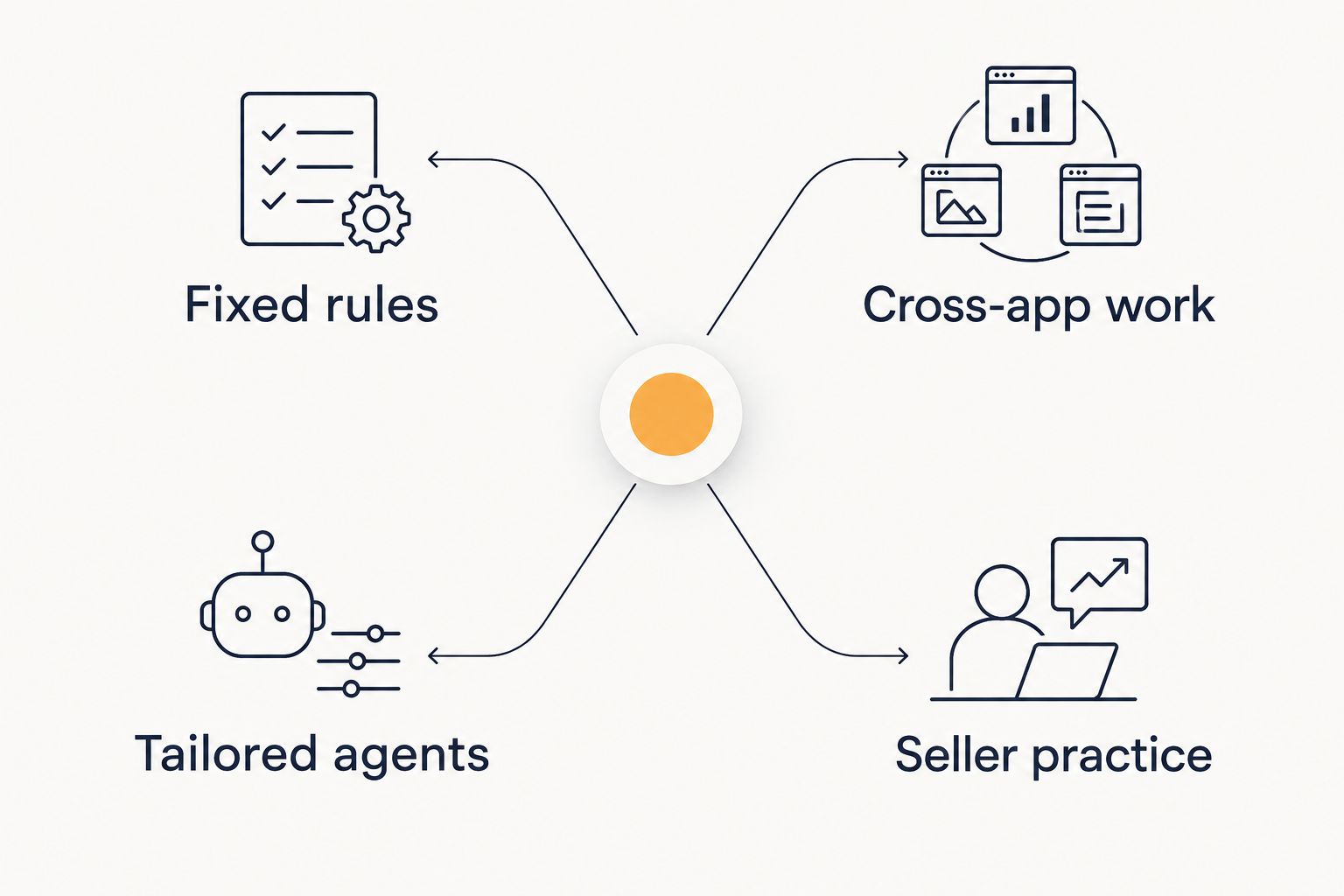
A team can need more than one route. Keep the responsibilities separate: the administrator owns workflow logic, the implementation owner owns agent behaviour, and the sales manager owns the review standard.
Test the workflow before expanding access
For your 2026 evaluation, use a small, explicitly defined pilot. The following is a suggested test design, not a performance benchmark:
- 10 opportunities: Include complete records, incomplete records and conflicting information.
- 5 call summaries: Check whether proposed updates preserve what the buyer actually said.
- 2 weeks: Observe the workflow during normal selling work before deciding whether to expand it.
Record the proposed action, the approved action and the correction needed. Separate factual errors from formatting preferences. A tidy summary that invents a commitment is a failed result.
Assess time savings from CRM automation against the full task, including reviewing drafts, correcting records and resolving failed actions. Removing typing is not the same as removing work.
For forecasting, test whether the workflow surfaces missing evidence without presenting a guess as a buyer commitment. For follow-ups, check names, dates, promised material and next steps before anything is sent.
Keep workshop evaluation equally practical. Ask sellers to complete a preparation task before and after the exercise using approved material. Assess the output and review process, not confidence alone.
How the options are ranked
The order follows workflow fit, Salesforce access, approval control, failure handling, seller practice and ownership. Salesforce Flow takes the default slot because its purpose directly matches defined Salesforce workflows. The other options address different requirements, not lower versions of the same requirement.
This is a fit-based buying guide, not a benchmark test. No vendor speed, accuracy or sales result is scored here. Confirm your specific Salesforce requirements before committing to an implementation.
Which option should you choose?
Choose Salesforce Flow first when your process follows clear rules inside Salesforce. Choose Zapier when a verified cross-app connection is the missing piece. Choose tailored implementation when the work needs a custom process, and choose a sales-specific workshop when sellers need practical Claude skills.
For a qualified discussion with Onwise, bring a sample input, the desired CRM result and the person responsible for Salesforce. Use the contact page to request a discovery call about custom agents, a workshop or both.
Scope your sales admin problem
Bring a CRM update, meeting-prep or follow-up example to discuss agents, workshops or both.
FAQ
What's the best CRM automation tool for Salesforce?
Salesforce Flow is the default starting point for clearly defined work inside Salesforce. Cross-app processes, custom interpretation and seller training require separate evaluation.
Should I use Salesforce Flow or Zapier?
Use Salesforce Flow as the first option for Salesforce-contained rules, and assess Zapier for cross-app workflows. Verify the required triggers, actions, objects and permissions before choosing.
Can a Claude workshop automate Salesforce updates?
A Claude workshop alone does not create an automated Salesforce integration. It can focus on preparing CRM-ready drafts and teaching sellers how to check them.
Are custom AI sales agents better than ready-made tools?
Custom agents suit requirements that need tailoring; ready-made tools suit requirements that match their supported workflows. Compare the exact task, access, maintenance and review requirements rather than assuming either route wins.
What should I test before allowing CRM write access?
Test proposed changes against approved examples before enabling writes. Include incomplete notes, conflicting details and fields the workflow must not change.
Is sales-specific AI training better than general AI training?
Sales-specific training is the closer fit when the learning goal is meeting preparation, CRM updates or follow-ups. General training addresses a broader brief, so compare actual exercises and expected outputs.
Can CRM automation improve sales forecasting?
CRM automation can support forecasting inputs through defined data checks and updates. Require evidence for changes, and keep unconfirmed buyer commitments out of the record.
One last thing
Make an intentionally incomplete call summary part of your evaluation. The correct response is to flag the missing next step, not invent one. A workflow that knows when to stop deserves more attention than a polished draft that fills every blank.